

Figuring out what receipts to keep for taxes is a cornerstone of effective financial management. It ensures every rightful deduction is claimed and you are prepared for any potential audit.
As a rule, if you plan to claim a business-related expense, you need the receipt to back it up. This is particularly true for scrutinised categories like travel, meals, office supplies, software subscriptions, and professional fees.
Why Every Receipt is a Critical Financial Record
Whether you're a business consultant at McKinsey, a self-employed architect, or a sales rep, meticulous record-keeping is a legal and financial imperative. The 'shoebox of receipts' handed to a tax advisor is a classic scenario that leads to missed deductions, compliance headaches, and wasted time. The core problem is the absence of a robust system from the moment of purchase.
This disorganisation often reflects a wider resource gap. The full State of the Corporate Tax Department report from the Thomson Reuters Institute found that 58% of tax departments feel they're under-resourced, and nearly 59% lack confidence in their technology. This pressure falls on individuals to provide flawless documentation. A PwC Tax Transparency Study revealed that many small businesses forfeit significant refunds simply due to inadequate proof of expenses.
The Foundation of an Audit-Proof Record
The objective is to shift from reactive receipt collection to proactive documentation. Every receipt you retain must clearly answer three core questions for any tax authority or accounting department:
- What was purchased? An itemised list is non-negotiable, particularly for meals and supplies.
- When and where was it purchased? The date and vendor's name must be perfectly legible.
- What was the business purpose? This context converts a personal cost into a legitimate business deduction.
Specific rules vary by jurisdiction. In the USA, the IRS generally requires a receipt for any single expense over $75. In Europe, especially the DACH region, Germany’s strict GoBD regulations demand that digital records be kept in an unalterable format for up to 10 years. The integrity of your digital files is therefore critical.
A credit card statement shows that you spent money, but only the receipt proves what you spent it on and why. This distinction often determines whether a deduction is approved or denied.
To provide a clear overview, here is a quick-reference checklist for the most common expenses and their documentation requirements.
Quick Reference Checklist for Essential Receipts
| Expense Category | What to Keep | Critical Details to Capture |
|---|---|---|
| Travel | Itemised receipts for flights, hotels, car rentals, and tolls. | Traveller's name, dates, destination, and business purpose of the trip. |
| Meals & Entertainment | The itemised restaurant bill (not just the credit card slip). | Date, location, attendees' names/roles, and specific business topic discussed. |
| Office Supplies | Store receipts listing each item purchased. | Date of purchase, vendor name, and a clear description of the items. |
| Software & Subscriptions | Digital invoices or email confirmations showing recurring charges. | Service period, cost, and a note on how the software benefits the business. |
| Professional Services | Invoices from lawyers, accountants, or consultants. | A detailed description of the services rendered, dates, and total fees paid. |
This checklist covers the fundamentals for most situations. Always remember to capture the who, what, where, when, and why.
A reliable receipt management system eliminates the Friday afternoon panic and back-and-forth with accounting. It builds a dependable process that captures the full story behind every transaction, ensuring you are always prepared. To better understand what qualifies as a valid expense, see our guide on common business expense categories. By knowing which documents to prioritise, you can create a solid foundation for your financial records.
Decoding Global Receipt Retention Rules
Navigating the rules for what receipts to keep for taxes and for how long can be complex. Regulations shift dramatically between countries, creating compliance challenges for freelancers, consultants, and professionals doing business across borders.
Consider a consultant who finishes a project in Frankfurt and then flies to New York for a client meeting. They are immediately subject to two different sets of rules for their expense records. Mastering these local differences is critical for avoiding penalties from tax authorities.
Retention Periods: A Global Snapshot
The required retention period for your receipts depends on the tax authority where you file. Timeframes can range from a few years to a decade.
Here’s a brief overview of requirements in major jurisdictions:
- United States (IRS): The IRS generally requires records to be kept for 3 years after filing. This extends to 7 years for claims involving a loss from bad debt or worthless securities.
- United Kingdom (HMRC): Self-employed individuals and partners must retain records for at least 5 years after the 31st January tax submission deadline for that year.
- Germany (GoBD): Germany is notoriously strict. The GoBD (Grundsätze zur ordnungsmäßigen Führung und Aufbewahrung von Büchern, Aufzeichnungen und Unterlagen in elektronischer Form sowie zum Datenzugriff) mandates a 10-year retention period for most business documents, including receipts.
- Canada (CRA): The Canada Revenue Agency requires records to be kept for 6 years from the end of the last tax year they relate to.
- Australia (ATO): The Australian Taxation Office generally requires business records to be kept for 5 years.
Failure to meet these requirements can result in significant fines, as tax offices globally improve their enforcement capabilities.
The Rise of Digital Scrutiny
Tax authorities are tightening their controls. A PwC Tax Transparency Study indicates a global trend towards more aggressive audits. This is particularly true in the DACH market, where German freelancers, for instance, must retain specific tax receipts for 10 years to remain GoBD-compliant.
The OECD Global Forum reports that shared data now informs 93% of tax audits, highlighting the increased importance of a digital paper trail.
This chart breaks down the main types of deductible expenses that require diligent tracking.
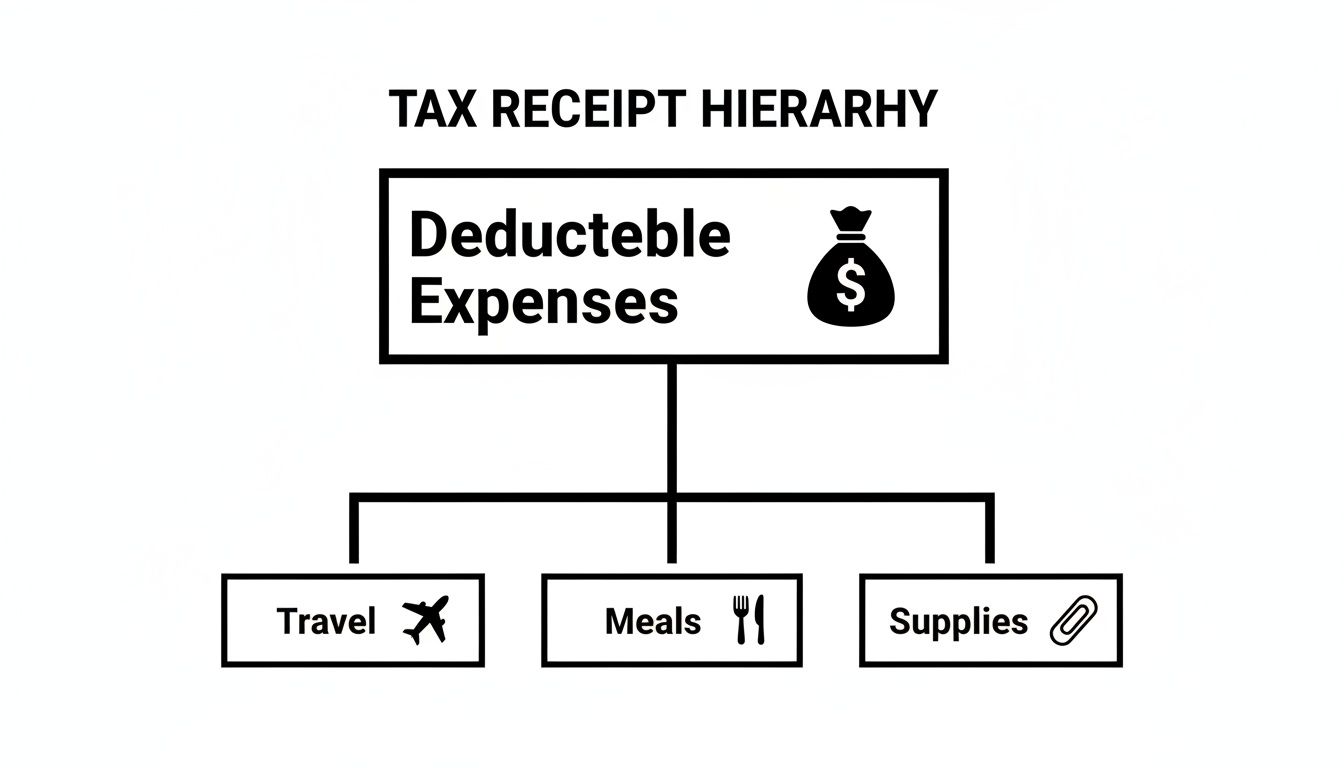
Fundamental business costs like travel, client meals, and supplies are key areas for deductions, and each requires its own documentation.
Key Takeaway: An acceptable digital receipt is a complete, clear, and unaltered copy of the original. For professionals in Germany, this means using a GoBD-compliant system that guarantees document integrity for the full 10-year retention period.
The era of the shoebox filled with faded thermal paper is over. Auditors expect organised, searchable digital records on demand. Tools like Bill.Dock, which offer GDPR-compliant storage on EU servers (in Frankfurt), are designed to meet these stringent standards, preparing you for any audit from the IRS, HMRC, or the German Finanzamt.
Moving Beyond the Shoebox of Receipts
The classic shoebox, filled with a year's worth of crinkled, faded receipts, is a familiar sight at tax time. For any professional, this method is not just disorganised; it's a significant financial risk. Each lost or unreadable receipt represents a lost deduction or, worse, a red flag for tax authorities like the IRS or Germany's Finanzamt.
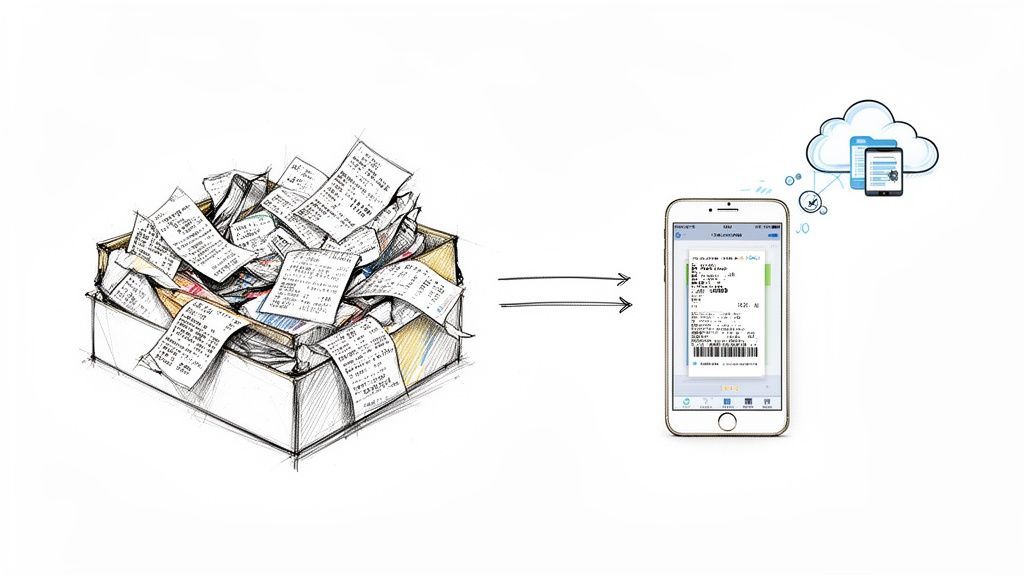
The primary issue with paper is its lack of durability. Thermal paper, used for most receipts, is notorious for fading. A receipt from a client lunch in January can become illegible by the time your accountant requests it, making the expense difficult to defend in an audit.
The Anatomy of a Compliant Digital Receipt
Digitisation is the clear solution. However, a simple photograph may not satisfy tax authorities. For a digital copy to be legally valid, it must be a "true and accurate" copy of the original.
This means your digital scan must be:
- Complete: The image must capture the entire receipt, from the vendor's name to the final total.
- Legible: All details—date, itemised list, VAT, and total amount—must be crystal clear.
- Unalterable: The file must be stored in a format that proves it has not been tampered with. This is crucial under strict regulations like Germany's GoBD.
A proper digital archive acts as your financial fortress. It protects records from physical damage, ensures long-term legibility, and provides a secure, searchable database accessible from anywhere. For frequent travellers or professionals who delegate administrative tasks, this is indispensable.
Switching to a digital system eliminates the Friday afternoon scramble for a missing receipt, creating a single source of truth for all expenses.
Choosing the Right Tool for the Job
The market for expense management apps is crowded, but they are not all created equal. Professionals often face a choice between cumbersome enterprise systems and inadequate consumer apps.
Enterprise Systems (e.g., SAP Concur, Spendesk): These are powerful platforms designed for large corporations with dedicated procurement teams and complex approval chains. For a consultant, freelancer, or small business owner, they are often too complex and expensive.
Simpler, Mobile-First Alternatives (e.g., Bill.Dock, N2F, Rydoo, Circula): These tools are designed for the individual professional. They focus on essential needs: fast receipt capture, accurate data extraction, and simple reporting.
Bill.Dock was built for professionals who value speed and simplicity. You scan a receipt, and its AI extracts the data with 95%+ accuracy. It handles 150+ currencies for international work and allows delegate access for an assistant or accountant. With GDPR-compliant EU servers and annual plans starting at €59, it's a focused solution. Unlike enterprise systems, the goal is not to manage a corporate budget but to convert paper receipts into compliant, organised digital records.
Essential Deductions for Freelancers and Small Businesses
For self-employed professionals—freelancers, consultants, and small business owners—tax management is a direct lever for profitability. Every documented deductible expense is a critical business function, not just an administrative chore.
Every valid receipt you save is cash back in your pocket. It directly lowers your taxable income and, in many countries, enables you to reclaim VAT. The challenge is the often-blurry line between business and personal costs, particularly for expenses like a home office or mobile phone. A last-minute scramble to sort a shoebox of receipts for your accountant is a surefire way to miss valuable deductions.
Common but Overlooked Deductible Expenses
While most are aware of deducting large expenses like flights and client dinners, significant money is often left on the table from smaller, recurring costs that are perfectly legitimate in the eyes of tax authorities like the IRS, HMRC, or the German Finanzamt.
Here are key areas for potential deductions:
- Home Office Costs: If you have a dedicated space in your home used exclusively for business, you can deduct a percentage of your rent, mortgage interest, utilities, and home insurance. Keep household bills to substantiate your calculation.
- Software and Subscriptions: All software that aids your work is deductible. This includes Adobe Creative Cloud for a designer, a legal research database for a lawyer, or your subscription to an expense tool like Bill.Dock.
- Professional Development: Online courses, industry conferences, and annual membership fees for professional associations are all deductible. Retain invoices and registration confirmations to prove the cost and its direct link to your work.
- Marketing and Advertising: This broad category covers everything from Google Ads and printing business cards to website hosting fees and invoices from marketing consultants.
For a deeper dive, especially for those starting out, this guide on mastering taxes on self-employed income in Canada is an excellent resource.
Documenting for Maximum Impact and VAT Compliance
Having a receipt is often not enough. To be audit-proof, documentation must be complete. This is critical for VAT or GST, where an incomplete invoice prevents you from reclaiming the tax paid. A proper EU VAT invoice, for example, must show the seller's VAT number, your business details, a unique invoice number, and the VAT amount broken down by rate.
A common failure point is not documenting the "business purpose." A receipt for a coffee is just a coffee receipt—until you add a quick note: "Meeting with Jane Doe from ABC Corp to finalise Q3 project scope." That simple annotation turns a personal spend into a defensible business deduction.
This is where the right tool makes a significant difference. Solo consultants don't need the multi-level approval workflows of an enterprise platform but require more than a basic scanner.
Expense Tracking Tool Comparison for Professionals
For individuals or small teams, the primary needs are speed, accuracy, and simplicity. You are not managing a large department, so enterprise-level complexity is unnecessary. Here’s a brief comparison of popular tools for professionals.
| Feature | Bill.Dock | SAP Concur | Expensify |
|---|---|---|---|
| Primary User | Individuals & Small Teams | Large Enterprises | Teams & Small Corps |
| Core Strength | Speed, simplicity, mobile-first AI scanning | Enterprise policy enforcement, complex workflows | Automated reimbursement & corporate cards |
| Delegate Access | Yes (share with PA/accountant) | Yes (part of enterprise structure) | Yes (team-based policies) |
| Pricing Model | Fixed annual fee (Starter €59, Pro €99, Enterprise €199/year) | Per-user, often with high implementation costs | Per-user, per-month active user model |
These tools are built for different environments. For busy professionals like consultants, lawyers, or self-employed experts, a focused tool is more efficient. A solution like Bill.Dock is designed to solve this core problem: capturing receipt data with 95%+ accuracy, handling 150+ currencies, and exporting clean, tax-ready reports. Features like GDPR-compliant EU servers and simple delegate access provide secure, shareable records without the bloat of platforms like Concur.
Managing Expenses for the Modern Business Traveller
Frequent business travellers—consultants at firms like McKinsey or BCG, globetrotting sales reps, and project managers—face a constant battle with expense tracking. The challenge is not just knowing what receipts to keep for taxes, but creating a system that handles the chaos of multiple currencies, time zones, and compliance rules.
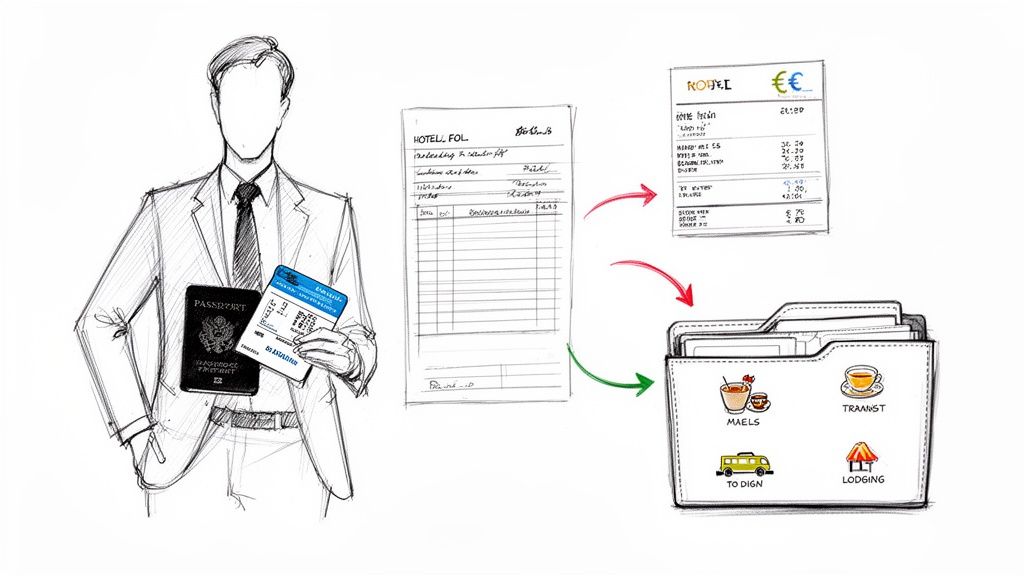
The pain points are universal: a multi-page hotel folio from Singapore, a train ticket from Germany, and a client dinner bill from New York all present different formats and tax implications. Sorting them, converting currencies, and submitting them for reimbursement is a major time drain, often culminating in a frustrating Friday afternoon email exchange with accounting.
Tackling Multi-Currency and VAT Complexities
Handling expenses in foreign currencies is a major headache for international travellers. Expense reports and tax filings must show costs in your home currency, using a clear, defensible conversion rate. Best practice is to use the exchange rate from the transaction date. A manual approach is tedious and prone to error.
Furthermore, you must manage Value Added Tax (VAT) or Goods and Services Tax (GST).
- VAT Reclaim: In regions with VAT, failing to obtain a proper VAT invoice means forfeiting the tax reclaim.
- Compliance: An invoice must meet specific local rules to be valid for a VAT deduction. A simple credit card slip from a Paris café is not a valid VAT receipt; you need the itemised bill showing the VAT amount and the restaurant’s tax ID.
A tool that understands these global rules is essential. Bill.Dock, for example, was built to handle this, with native support for 150+ currencies and accurate, daily exchange rates.
Ending the Friday Afternoon Email Chain with Accounting
For busy professionals, correcting and resubmitting expense reports is a drain on productivity. A consultant’s time is better spent on client work, not searching for a missing receipt. Delegation is the solution.
The goal is to create a seamless information flow from purchase to final report, without the professional being the bottleneck. Granting a personal assistant (PA) or accountant secure, limited access to your records resolves this issue directly.
While this feature exists in complex enterprise systems like SAP Concur or Rydoo, it is often buried in complex menus. For individuals, a simpler, mobile-first approach is more practical.
The Power of Delegate Access
Tools designed for professionals, like Bill.Dock, offer a straightforward delegate access feature. Instead of forwarding emails or sharing login details—a major security risk—you can grant specific permissions to a trusted assistant or tax advisor.
This allows them to:
- View and organise receipts as they are captured.
- Add context or notes required by company policy.
- Generate and export reports for reimbursement or tax filing.
- Proactively flag issues, like a missing itemised bill, before they become a problem.
This function transforms a reactive, stressful process into a proactive, collaborative one. Your assistant can manage expenses in real-time, ensuring reports are complete and compliant. It ends the month-end scramble and ensures no reimbursement or tax deduction is missed due to a lost receipt.
How AI Is Finally Fixing Receipt Management
For busy professionals, manual data entry is a significant productivity killer. Time spent keying in vendor names, dates, and amounts from a stack of receipts is time not spent on client work. Modern tools now use artificial intelligence to automate this administrative burden.
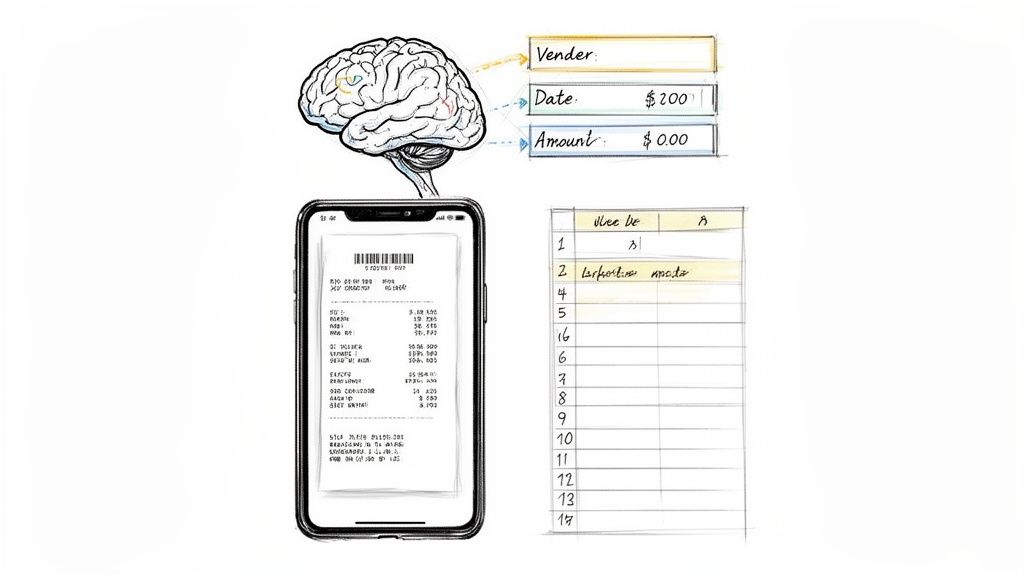
The concept is simple: instead of collecting paper receipts, you capture a photo with your phone immediately after purchase. An AI-powered scanner then acts as an efficient digital assistant.
From Photo to Financial Data in Seconds
This technology reads and understands the document, extracting critical details for tax filings or expense reports.
- Key Data Extraction: The AI instantly identifies and digitises the vendor, transaction date, total amount, and currency with high accuracy.
- VAT and Tax Details: For businesses in Europe, it precisely extracts VAT amounts, which is essential for compliant bookkeeping and reclaims.
- Smart Categorisation: Based on vendor or keywords, the expense is automatically sorted into the correct category, like "Travel," "Meals," or "Software."
This automated approach converts a tedious, error-prone chore into a quick task, helping professionals automate their expense reports.
Creating an Audit-Proof Digital Archive
This process builds a reliable, audit-proof digital record of expenses. By capturing receipts on the spot, you eliminate the risk of lost documents or faded thermal paper.
Tools like Bill.Dock use AI to achieve over 95% accuracy on data extraction and support more than 150 currencies, making them ideal for international business travel.
The real advantage is not just the technology itself, but the outcome: no more shoeboxes of receipts, no more Friday afternoon scrambles to prepare for your accountant, and complete confidence that every expense is perfectly documented for tax purposes.
With features like GDPR-compliant storage and exports to Excel, CSV, or PDF, these tools provide the security and flexibility required. This automated system ensures your records are organised, complete, and ready when determining what receipts to keep for taxes.
Your Top Questions About Tax Receipts, Answered
Let's address some of the most common questions about managing receipts for tax purposes.
Can I Throw Away Paper Receipts After Scanning Them?
In most cases, yes. In major jurisdictions like the US, the UK, and across the EU (provided you meet standards like GoBD in Germany), a high-quality digital copy is legally equivalent to the paper original.
The key is ensuring your scan is a perfect, unaltered replica. It must clearly show the vendor's name, date, every line item, and tax paid. Securely storing these digital copies for the full retention period is mandatory. Using a dedicated app like Bill.Dock ensures each scan is compliant, so you don't need to worry about faded thermal paper or lost receipts.
What's the Single Biggest Mistake People Make with Receipts?
The most frequent and costly error is failing to document the business purpose. A credit card statement proves a purchase was made, but it doesn't tell the tax office why. Without this context, a deduction can be denied.
For a business meal, note who you were with and what was discussed. For travel, specify the client or project. If an expense cannot be directly tied to a business activity, an auditor can—and likely will—disallow it.
How Long Do I Need to Keep Receipts in Australia and Canada?
Record-keeping rules vary by location.
- In Australia, the Australian Taxation Office (ATO) requires you to retain business records for five years.
- In Canada, the Canada Revenue Agency (CRA) requires records to be kept for six years after the end of the tax year to which they relate.
Given these long timelines, a paper-based system is risky. A digital system is a more practical and reliable method for keeping records legible and accessible. For those interested in how modern tools can manage financial data, it's worth exploring new approaches like using artificial intelligence in spreadsheets.
Eliminate the Friday afternoon scramble and the shoebox chaos. Bill.Dock provides an audit-proof system for all your receipts, from instant AI scanning to tax-ready reports. With GDPR-compliant EU servers and a 30-day free trial (no credit card required), it offers plans for every professional (Starter €59/year, Pro €99/year, Enterprise €199/year). Start your 30-day free trial today and discover how simple compliant record-keeping can be.