
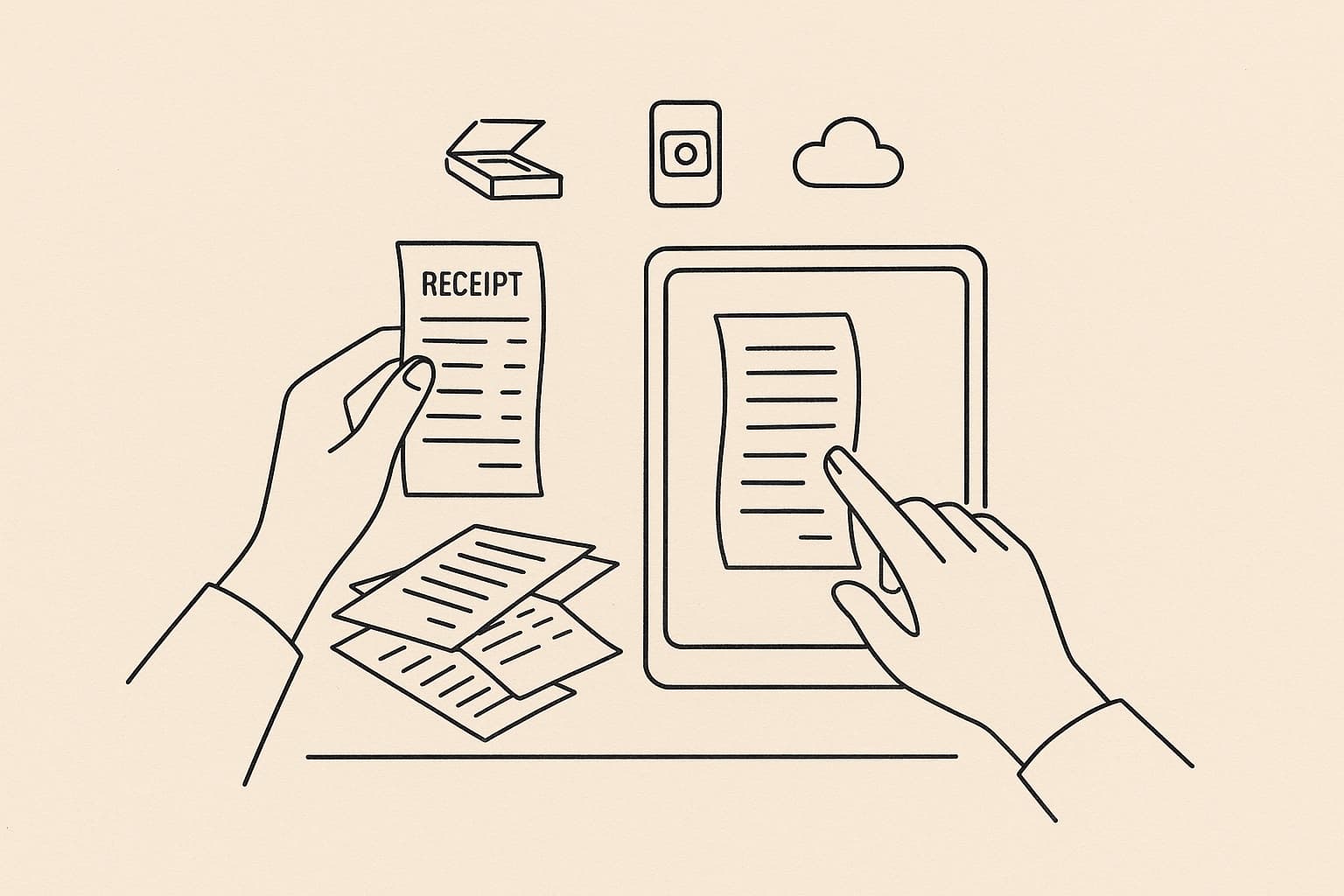
Paper receipts are a relic of the analogue age — they fade, crumple, get lost in jacket pockets and shoeboxes, and then disappear exactly when you need them most: at tax time. For small business owners, freelancers, and finance teams across Europe, going paperless is no longer a luxury — it's a competitive advantage.
This guide explains everything you need to know about how to digitize receipts and go paperless in 2026: the right tools, legally compliant workflows, country-specific rules for DACH, and how to make the transition stick.
Why Digitizing Receipts Is No Longer Optional
Every paper receipt is a liability. Consider the numbers:
- The average office worker uses 10,000 sheets of paper per year (European Environment Agency estimate)
- Thermal paper receipts fade completely within 2–5 years — often before tax audits occur
- Finance teams spend an average of 15 minutes processing a single expense claim manually (GBTA 2024)
- VAT reclaim errors caused by missing or illegible receipts cost European SMEs an estimated €5.6 billion annually
For DACH businesses specifically, the German GoBD regulation (Grundsätze zur ordnungsmäßigen Führung und Aufbewahrung von Büchern, Aufzeichnungen und Unterlagen in elektronischer Form) mandates that digital documents — including scanned receipts — must be stored in an unalterable, traceable format for 10 years. Austria's BAO has equivalent requirements; Switzerland's OR mandates 10 years as well.
Going paperless isn't just environmentally responsible — it's a compliance requirement.
What Does "Digitizing Receipts" Actually Mean?
Digitizing receipts means converting paper documents into structured digital records that are:
1. Legible — clear enough to read without the original paper 2. Indexed — searchable by vendor, date, amount, category 3. Tamper-proof — stored in a system that prevents alteration 4. Compliant — meeting your country's legal archiving standards 5. Integrated — connected to your accounting or ERP system
A JPEG photo of a receipt on your phone does not meet these criteria. A scan processed through a compliant document management or expense app does.
Step 1: Choose Your Digitization Method
Method A: Smartphone Receipt Scanner Apps
The most practical option for most businesses. You photograph the receipt immediately after receiving it, and the app does the rest.
What a good scanner app does:
- Applies automatic perspective correction and contrast enhancement
- Runs OCR (Optical Character Recognition) to extract vendor, date, amount, VAT, and currency
- Categorizes the expense automatically
- Stores the image in a tamper-proof, timestamped archive
- Exports data to DATEV, lexoffice, or your accounting software
Bill.Dock is purpose-built for this workflow. Scan a receipt in under 10 seconds — the AI extracts all relevant fields instantly, applies GoBD-compliant archiving, and pushes the data to your accounting stack automatically. No manual entry. No paper to keep.
→ Try Bill.Dock free for 30 days
Method B: Flatbed or Document Scanners
Better for batches of older documents or high-volume finance teams. Typical workflow:
1. Scan at minimum 300 DPI (recommended: 400+ DPI for thermal receipts) 2. Save as PDF/A (the archiving standard for long-term storage) 3. Run through an OCR engine (ABBYY FineReader, Adobe Acrobat, or built-in on macOS/Windows) 4. Import into your DMS or accounting software
Downside: Time-consuming. Doesn't work well in the field. Thermal receipts need special handling (scan face-down; avoid heat).
Method C: Email Receipts and PDF Invoices
Many vendors now send digital receipts or e-invoices by default. A compliant workflow:
1. Set up a dedicated email address (e.g., receipts@yourcompany.com) 2. Auto-forward to your expense app inbox or document management system 3. The system parses and archives PDFs automatically
Bill.Dock supports email forwarding — send or forward any PDF invoice to your Bill.Dock inbox and it's processed identically to a scanned receipt.
Method D: Desktop Scanning Software
For offices already using Windows or macOS, built-in tools can handle low-volume scanning:
| Tool | OS | OCR | Export |
|---|---|---|---|
| Windows Fax and Scan | Windows | No | TIFF/BMP |
| Apple Preview | macOS | Basic | |
| Adobe Acrobat | Both | Excellent | PDF/A |
| Microsoft Office Lens | Both | Good | PDF/Word |
| ABBYY FineReader | Both | Professional | Multiple |
Step 2: Establish a Receipt Capture Workflow
The biggest failure mode of going paperless isn't the technology — it's inconsistency. People forget to scan receipts, delay until batches pile up, or mix personal and business expenses.
The golden rule: scan at the point of payment.
Recommended Workflow for Freelancers and Sole Traders
1. Pay → immediately open Bill.Dock (or your scanner app) 2. Photograph the receipt 3. Confirm the extracted data (vendor, amount, category) 4. Discard the paper receipt (once digital copy is confirmed compliant) 5. The app syncs to your accounting software automatically
Time per receipt: under 60 seconds.
Recommended Workflow for Teams
| Step | Who | When | Tool |
|---|---|---|---|
| Capture receipt | Employee | Immediately after payment | Bill.Dock mobile app |
| Submit expense | Employee | Same day (company policy) | Bill.Dock app |
| Review & approve | Finance manager | Weekly batch | Bill.Dock web dashboard |
| Export to accounting | Finance manager | Monthly close | DATEV/lexoffice export |
| Archive | System | Automatic | Bill.Dock GoBD archive |
Policy Tips for Teams Going Paperless
- Set a submission deadline: receipts must be submitted within 48 hours of payment
- Define categories: standardize your expense categories before rollout
- Train once, remind monthly: a 10-minute onboarding session is enough; monthly nudges maintain compliance
- Handle exceptions in writing: cash payments, missing receipts — document the reason digitally
Step 3: Understand Legal Compliance Requirements by Country
Going paperless doesn't mean going unregulated. Every EU country has specific rules about digital receipt archiving.
Germany (GoBD)
The GoBD (in force since 2015, updated 2019) governs all digital bookkeeping records in Germany. Key requirements:
- Receipts must be captured immediately after receipt (within the same business day for digital systems)
- Stored in a system that ensures completeness, correctness, timeliness, order, traceability, and immutability
- Retention period: 10 years for accounting records, 6 years for business letters
- The original paper receipt can be destroyed after scanning — if the DMS meets GoBD criteria (called "ersetzendes Scannen")
- You must maintain a Verfahrensdokumentation (process documentation) describing your scanning workflow
Bill.Dock is GoBD-compliant. The system applies automatic tamper-proofing, timestamps, and audit trails that satisfy GoBD requirements for ersetzendes Scannen.
Austria (BAO)
Austria's Bundesabgabenordnung mirrors GoBD principles:
- 7-year retention for receipts (§132 BAO), with extensions for ongoing proceedings
- Electronic records must be readable throughout the retention period
- The original can be discarded after compliant scanning — but the Austrian BMF recommends maintaining the original alongside the digital copy for high-value documents
Switzerland (OR / GeBüV)
Under the Geschäftsbücherverordnung (GeBüV):
- 10-year retention for accounting records
- Digital records must be protected against alteration
- Export must be possible in readable formats (PDF, XML)
- Switzerland is not EU-member — e-invoice mandates are separate from EU directives
Other EU Markets
| Country | Key Regulation | Retention | Notes |
|---|---|---|---|
| Netherlands | Wet bewaarplicht | 7 years | Tax authority (Belastingdienst) accepts digital |
| Denmark | Bogføringsloven | 5 years | New digital bookkeeping law from 2024 |
| Sweden | Bokföringslagen | 7 years | Digital originals fully accepted |
| Norway | Bokføringsloven | 5 years | VAT receipts: 10 years |
| Spain | Ley General Tributaria | 4 years (tax) / 6 years (commercial) | Digital invoices via FacturaE standard |
| Italy | Codice Civile / TUIR | 10 years | Mandatory e-invoicing (FatturaPA) since 2019 |
Step 4: Choose the Right Storage System
Where your digital receipts live is as important as how they get there.
What Compliant Storage Requires
- Immutability: receipts cannot be modified after archiving (no overwriting, no deletion)
- Completeness: every receipt is stored; gaps are flagged
- Accessibility: you can retrieve any document within a reasonable timeframe
- Exportability: you can export all data if you switch systems (GDPR + practical requirement)
- Backup: minimum 3-2-1 backup strategy (3 copies, 2 media types, 1 offsite)
Storage Options Compared
| Option | Compliance Risk | Cost | Searchability | Integration |
|---|---|---|---|---|
| Shoebox / physical folder | Very high | Low | None | None |
| Dropbox / Google Drive | High (no audit trail) | Low | Basic | Limited |
| Dedicated DMS (e.g., DocuWare) | Low | High | Excellent | Good |
| Expense management app (Bill.Dock) | Very low | Low–medium | Excellent | Native |
| ERP system (SAP, DATEV) | Very low | High | Excellent | Full |
Step 5: Integrate With Your Accounting Stack
A digitized receipt sitting in isolation is still a bottleneck. The goal is a straight-through process: receipt captured → data extracted → accounting entry created → VAT claimed.
Common Integration Paths
Bill.Dock → DATEV: Export via DATEV-compatible CSV or XML. Your tax advisor can import directly into DATEV Unternehmen Online.
Bill.Dock → lexoffice: Native integration. Expenses sync automatically; receipts attached to transactions.
Bill.Dock → sevDesk: Push expenses with attached images directly into sevDesk bookkeeping.
Bill.Dock → Xero / QuickBooks: API-based sync for non-DACH markets.
Manual export: If your accounting software isn't natively supported, Bill.Dock exports to standard CSV/Excel formats compatible with most systems.
The Data Fields That Matter
When your scanner extracts data from a receipt, these fields need to be captured correctly for accounting purposes:
| Field | Why It Matters |
|---|---|
| Vendor name | Identifies the payee for bookkeeping |
| Date | Determines tax period |
| Gross amount | Total paid |
| Net amount | Pre-tax base for expense tracking |
| VAT amount | Recoverable input tax |
| VAT rate | Applied rate (e.g., 19%, 7%, 0%) |
| Currency | For multi-currency businesses |
| Category | Maps to your chart of accounts |
| Payment method | Cash vs. card vs. bank transfer |
Step 6: Handle Edge Cases
Cash Receipts With No Paper
For cash payments where no receipt was issued (markets, tips, tolls):
- Create a digital expense note immediately (app or notes)
- Document: amount, date, purpose, business reason
- In Germany: amounts under €250 gross can use simplified proof (Vereinfachungsregel)
- Always note business purpose — it's what gets challenged in audits
Missing or Destroyed Receipts
If a receipt is genuinely lost:
1. Request a duplicate from the vendor (many can reissue) 2. Check your bank or card statement for the transaction 3. Create an Eigenbeleg (self-created receipt) in Germany — legally valid for smaller amounts with documented reason 4. In all cases: document why the original is missing
Foreign Currency Receipts
- Record the receipt in the original currency
- Apply the ECB exchange rate on the day of transaction
- Keep both the receipt and a note of the rate applied
- Bill.Dock handles multi-currency automatically with ECB rate lookup
Receipts for Mixed Business/Personal Expenses
- Split expenses in your expense app at point of capture
- Document the business portion and reason
- Only claim the business portion — never the personal share
The Paperless Office: Beyond Receipts
Receipts are the easiest starting point, but a truly paperless workflow extends further:
| Document Type | Digitization Approach |
|---|---|
| Supplier invoices | Email PDF inbox or scan on arrival |
| Customer invoices | Issue as e-invoices (mandatory in Italy, coming elsewhere) |
| Contracts | DocuSign / Adobe Sign for digital signing |
| Bank statements | Download PDF directly from online banking |
| Payroll records | Payroll software generates digital records |
| HR documents | HR management system (e.g., Personio, Kenjo) |
How to Migrate From Paper to Digital: A Practical Checklist
Before You Start
During Transition (Month 1)
After Transition (Ongoing)
Bill.Dock: Built for the Paperless SME
Bill.Dock is an AI-powered receipt management platform designed specifically for European small businesses, freelancers, and finance teams. Here's what makes it the right tool for going paperless:
| Feature | Benefit |
|---|---|
| AI OCR extraction | Captures all fields automatically — no typing |
| GoBD-compliant archiving | Safe to destroy paper originals after scanning |
| Multi-currency support | Handles EUR, CHF, DKK, NOK, SEK and more |
| DATEV / lexoffice / sevDesk export | No manual re-entry for your bookkeeper |
| Team expense submission | Employees submit; finance approves |
| Mobile-first design | Scan on the go, approve from desktop |
| VAT breakdown | Separate net/VAT per receipt automatically |
No credit card required. Full feature access for 30 days.
Common Mistakes When Going Paperless
Mistake 1: Scanning but not archiving compliantly
Taking a photo is not the same as archiving compliantly. The image needs a timestamp, tamper-proof storage, and must be retrievable by date, vendor, and amount.Mistake 2: Treating Dropbox as a DMS
Dropbox and Google Drive allow file modification and deletion. They don't meet GoBD or equivalent requirements for accounting records unless combined with additional controls.Mistake 3: Keeping paper "just in case"
If your system meets GoBD requirements, you don't need the paper. Keeping both creates confusion and defeats the efficiency gains.Mistake 4: Not training the team
One non-compliant team member can undermine an otherwise solid system. Brief everyone. Make it simple. Bill.Dock's mobile app requires no training beyond a 5-minute walkthrough.Mistake 5: Ignoring the backlog
Going paperless from today forward is great. But if you have three years of paper receipts in a drawer, they're still a liability. Dedicate one afternoon to scanning the backlog — or outsource it.ROI: What You Save by Going Paperless
Here's what finance teams typically gain:
| Saving | Estimate |
|---|---|
| Manual data entry time | 15 min → <2 min per receipt |
| Lost receipt reprocessing | Eliminated |
| VAT recovery improvement | Up to 8% increase (PwC SME study) |
| Storage cost (filing cabinets, offsite) | €200–500/year per employee |
| Audit preparation time | Days → hours |
| Accounting software errors from manual entry | Reduced by ~60% (Billentis 2024) |
FAQ: How to Digitize Receipts and Go Paperless
Can I throw away paper receipts after scanning them?
Yes — if your digital archive meets the legal requirements for your country. In Germany (GoBD), compliant systems allow "ersetzendes Scannen" (replacement scanning), meaning you can legally destroy the paper original once the digital copy is properly archived.How long do I need to keep digital receipts?
In Germany, Austria, and Switzerland: 10 years for accounting documents. In the Netherlands: 7 years. Denmark: 5 years. Sweden and Norway: 7 years. Always check your specific jurisdiction.What DPI should I scan receipts at?
Minimum 300 DPI for most printed receipts. For thermal receipts (which fade quickly), scan at 400 DPI immediately and increase contrast. Bill.Dock's camera processing handles this automatically.Is a smartphone photo of a receipt legally valid?
It depends on the country and the system used. A photo taken with a compliant app (like Bill.Dock) that applies GoBD-grade archiving is legally valid in Germany. A photo saved to your camera roll is generally not sufficient for tax purposes.What happens if my app shuts down — do I lose my receipts?
With a reputable provider, no. Always check that your app allows you to export your data in standard formats (PDF, CSV, XML). Bill.Dock provides full data export at any time.Do I need a dedicated receipt scanner device?
No. A modern smartphone camera produces more than sufficient quality for OCR. Dedicated scanners are only worth the investment for very high-volume environments (500+ documents/day).Can I digitize receipts in multiple currencies?
Yes. Bill.Dock supports multi-currency receipts and applies ECB exchange rates automatically for reporting in your base currency.What if my team members keep forgetting to scan?
Build it into the workflow: make scanning the prerequisite for expense reimbursement. If there's no digital receipt in Bill.Dock, there's no reimbursement. This changes behavior quickly.Conclusion: Go Paperless, Stay Compliant, Save Time
Digitizing receipts is one of the highest-ROI decisions a small business can make. The technology is mature, the legal frameworks support it, and the tools — led by purpose-built apps like Bill.Dock — make it easier than ever.
The key takeaways:
1. Scan at the point of payment — never batch up paper receipts 2. Use a compliant system — not just a photo folder 3. Integrate with your accounting software — close the loop automatically 4. Understand your country's rules — especially for GoBD in Germany 5. Train your team — consistency beats technology
→ Start your paperless journey with Bill.Dock: https://home.billdock.io/de/tools/
Free 30-day trial. No credit card. Works on iPhone and Android.